
In December 2025, we released pathfinding.cloud, a catalog of AWS IAM privilege escalation techniques. Pathfinding.cloud defines the sets of permissions that would allow an AWS IAM principal to gain access to another AWS IAM principal. In May 2026, we released Pathfinding Labs, a collection of intentionally vulnerable AWS environments that can be deployed into a sandbox account, exploited, and torn down. You can use these labs to learn how the techniques documented in pathfinding.cloud are exploited.
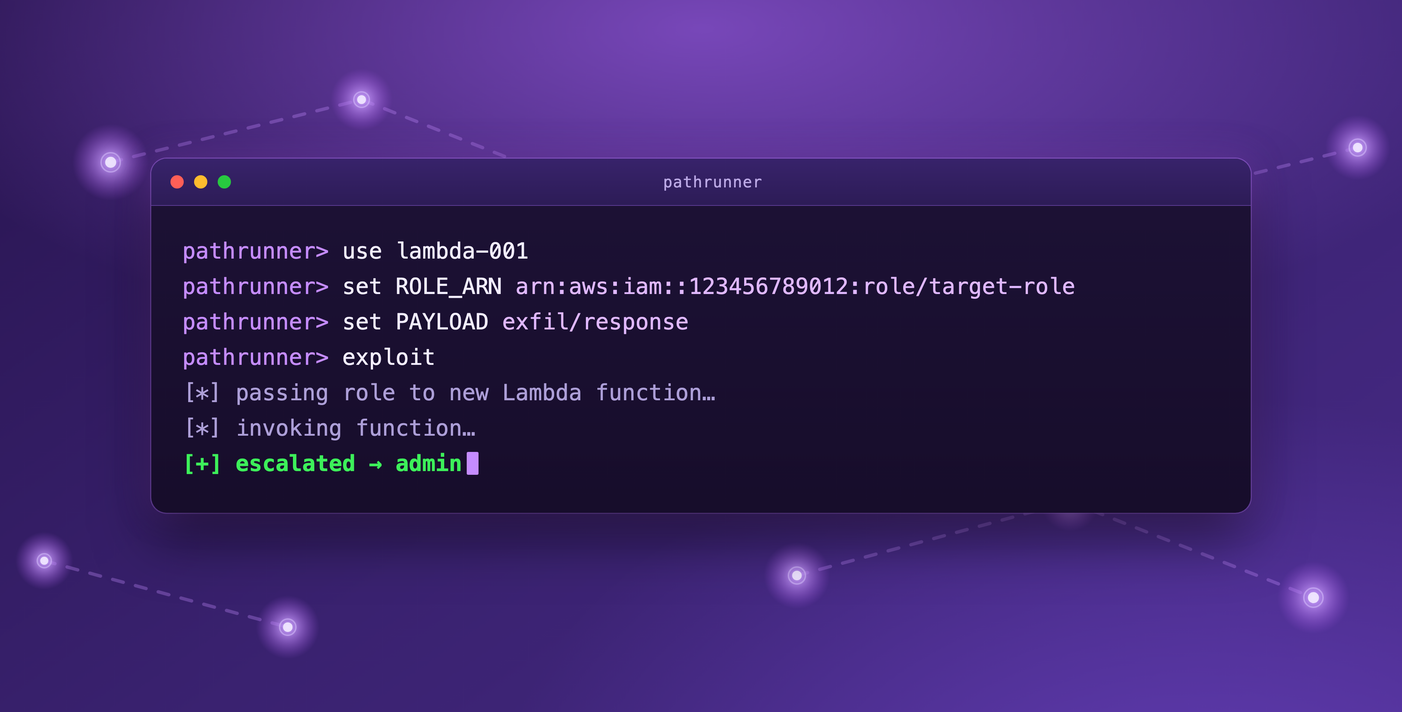
Today, we're releasing pathrunner, a modular, cloud-native offensive security framework designed to help automate the exploitation of the paths defined in pathfinding.cloud and instantiated in Pathfinding Labs.
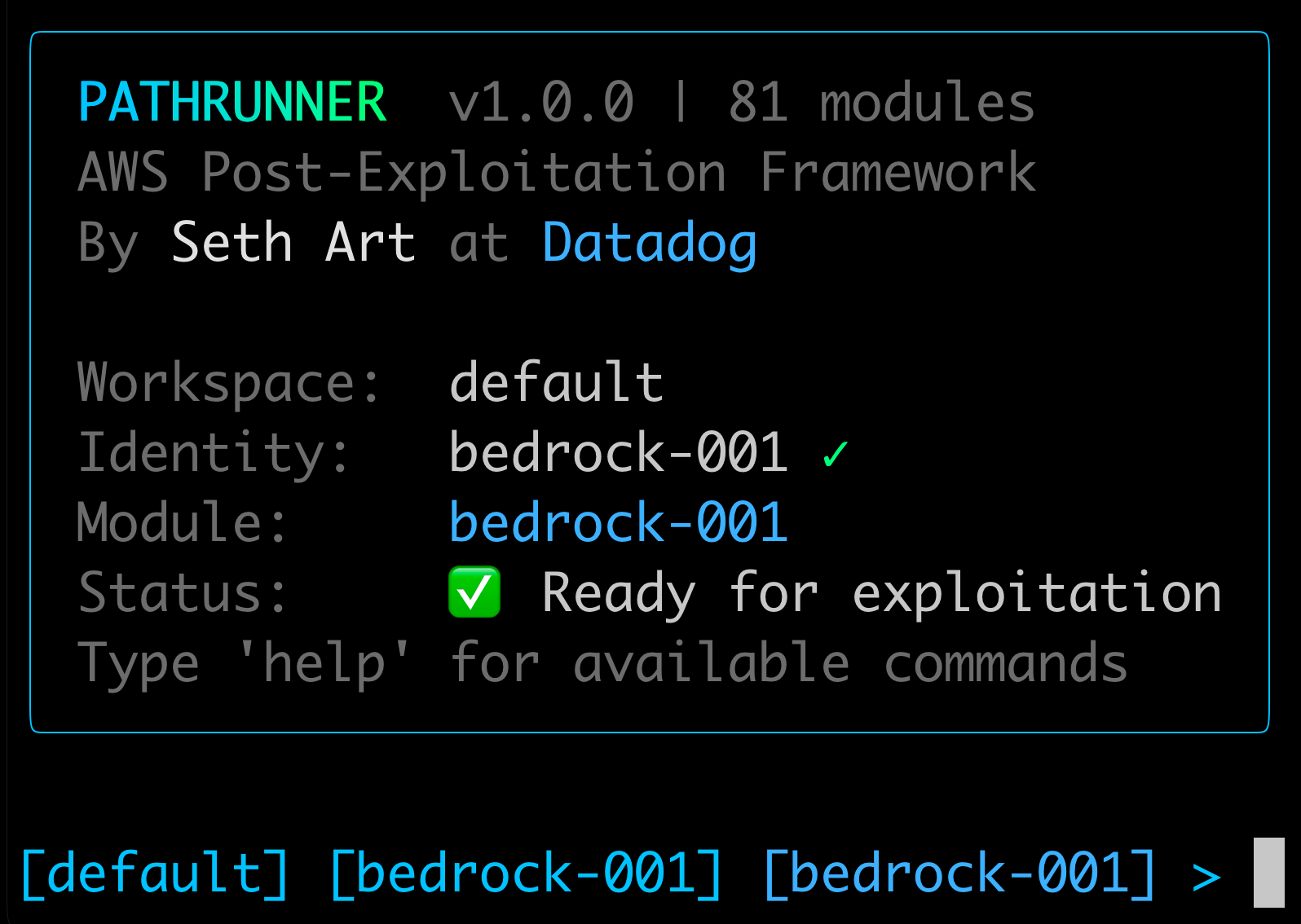
Full documentation for pathrunner and all of its commands and exploit modules can be found at https://pathfinding.cloud/pathrunner/.
Why build an offensive tool?
Every defender has more security vulnerabilities and misconfigurations on their plate than they have time to resolve, which means they must triage and carefully choose where they spend their finite remediation time. An offensive tool demonstrates the impact of an attack, enabling defenders to prioritize exploitable misconfigurations based on how impactful they are.
When assessing software vulnerabilities, we look for publicly accessible Proof of Concept (PoCs) exploits. If those exist, we increase the severity of related findings. When it comes to misconfigurations, exploitability can be more difficult to determine. For example, what's an exploitable misconfiguration vs. simply a missing best practice?
Offensive security approaches can pinpoint the specific misconfigurations that are exploitable and show exactly how they can be exploited in your environment. Defenders and offensive security teams alike both widely use offensive security tools like Metasploit and Bloodhound. There is nothing quite like seeing a vulnerability or misconfiguration in your environment actually exploited!
Pathrunner in action
The best way to understand what pathrunner can do is to watch it in action. In the following clip, we'll walk through the following actions:
- Importing the credentials for an AWS IAM user identity that we've gained access to
- Selecting an exploit module that our victim identity has permission to execute
- Selecting the target identity that we want to access
- Executing the attack and capturing the credentials of the target identity
- Automatically importing the new credentials and switching to them
- Validating that we have successfully accessed the target identity
Identities are the sessions of the cloud
In traditional on-prem Active Directory environments, when attackers compromise a workload, the best and most likely path to the next hop in the attack path is usually through another workload, which is often a server or user workstation. Each connection between a workload and the attacker is called a session, because it is usually a TCP session between the two hosts. Not all escalations pivot through workloads, of course (e.g., kerberosting), but "attacker to workload" sessions are certainly very common in traditional Active Directory environments.
In cloud environments, the script is flipped. There are still occasional times where an attack hops from one workload to another and sends network sessions back to the attacker's command and control servers, but more often than not, penetration testers and real attacks are hopping from one cloud identity to another by accessing credentials. Sometimes this happens by executing code on a remote workload, and sometimes no workload is involved at all.
For these reasons, identities are fundamental to pathrunner. The very first pathrunner feature we created was the ability to import identities from multiple text-based formats by using a simple command: pathrunner identity add --from-clipboard. The second feature was the corresponding pathrunner identity switch [name] command, which enables you to easily switch between multiple identities.
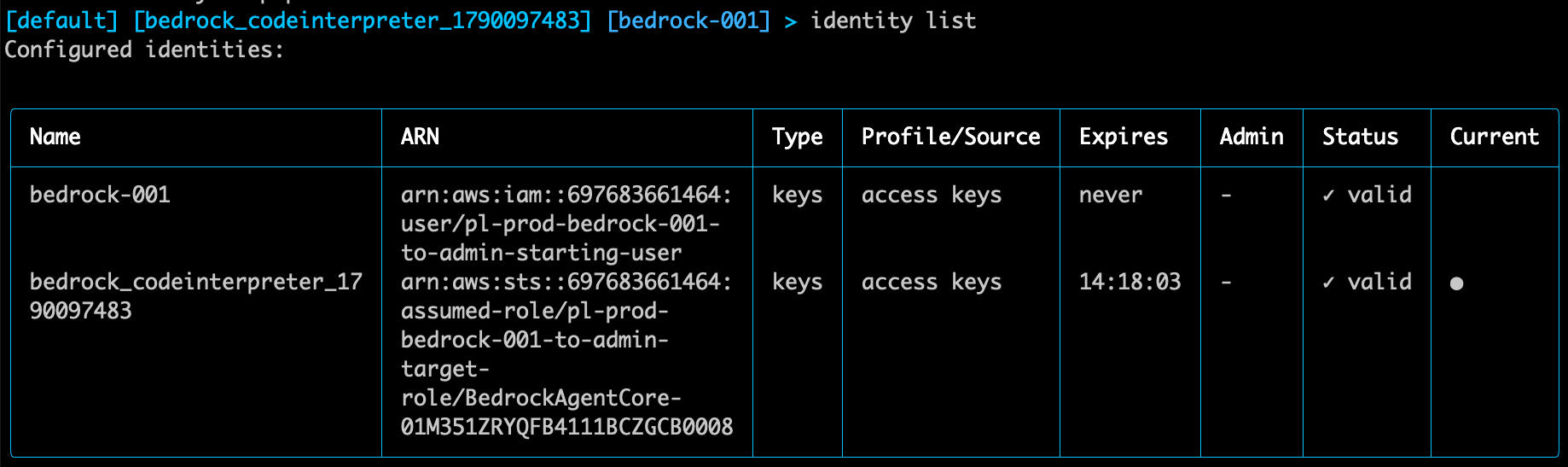
Here's a look at two configured identities in pathrunner. The identity named bedrock-001 is associated with the initial set of credentials, which we first gain access to as the "attacker." The identity named bedrock_codeinterpreter_1790097483 is associated with the post-exploitation identity that we gain access to after running the bedrock-001 exploit in pathrunner.
Modular by design
Pathrunner's modular design was heavily influenced by a few successful exploitation frameworks of years past, like Metasploit, CrackMapExec (now NetExec), and Empire (now forked and maintained here). And even in the AWS cloud realm, we have Pacu and Nebula. These modular tools allow the operator to exploit multiple misconfigurations or vulnerabilities within the same user interface, which makes them much easier to use.
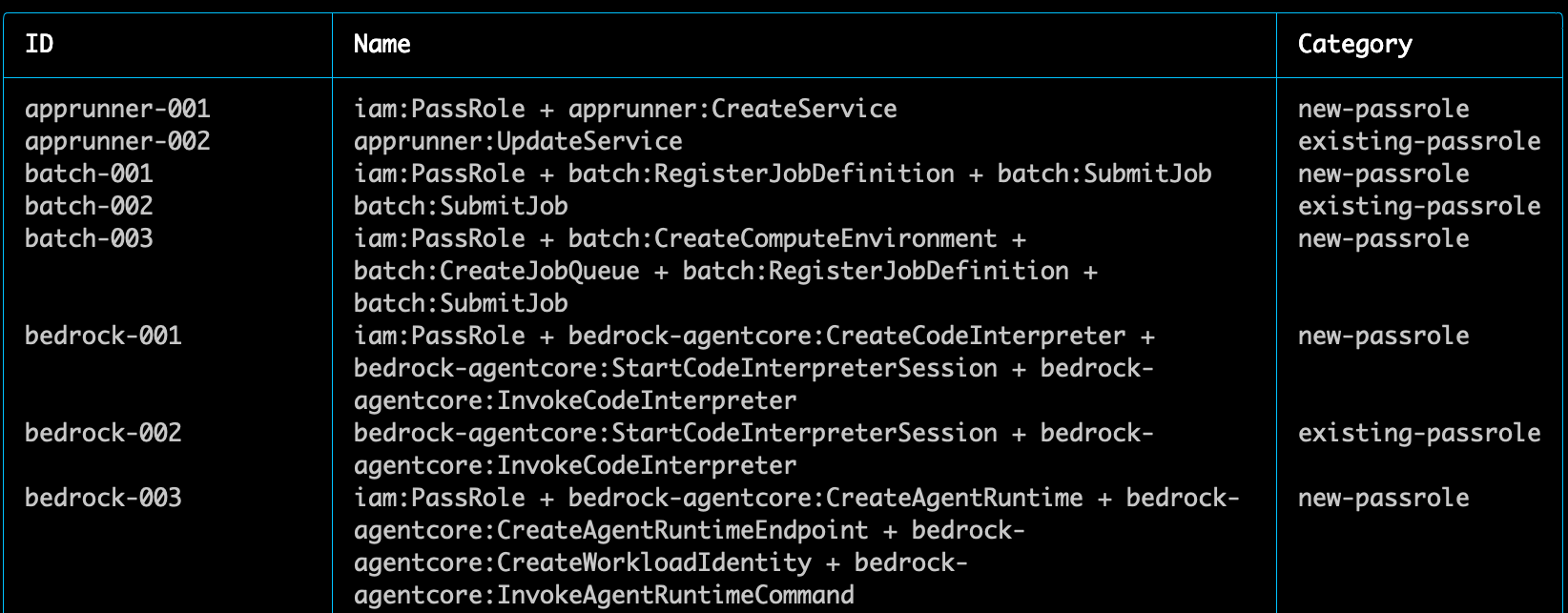
As of October 2026, there are over 80 exploit modules in pathrunner.
Modular payloads make for better detections
Another foundational decision that we made when building pathrunner was to support modular payloads. For an offensive security practitioner, sometimes certain payloads just don't work. Maybe there are network access restrictions or organizational service control policies in place. Providing multiple payloads for each module lets the user pick the payload that makes the most sense.
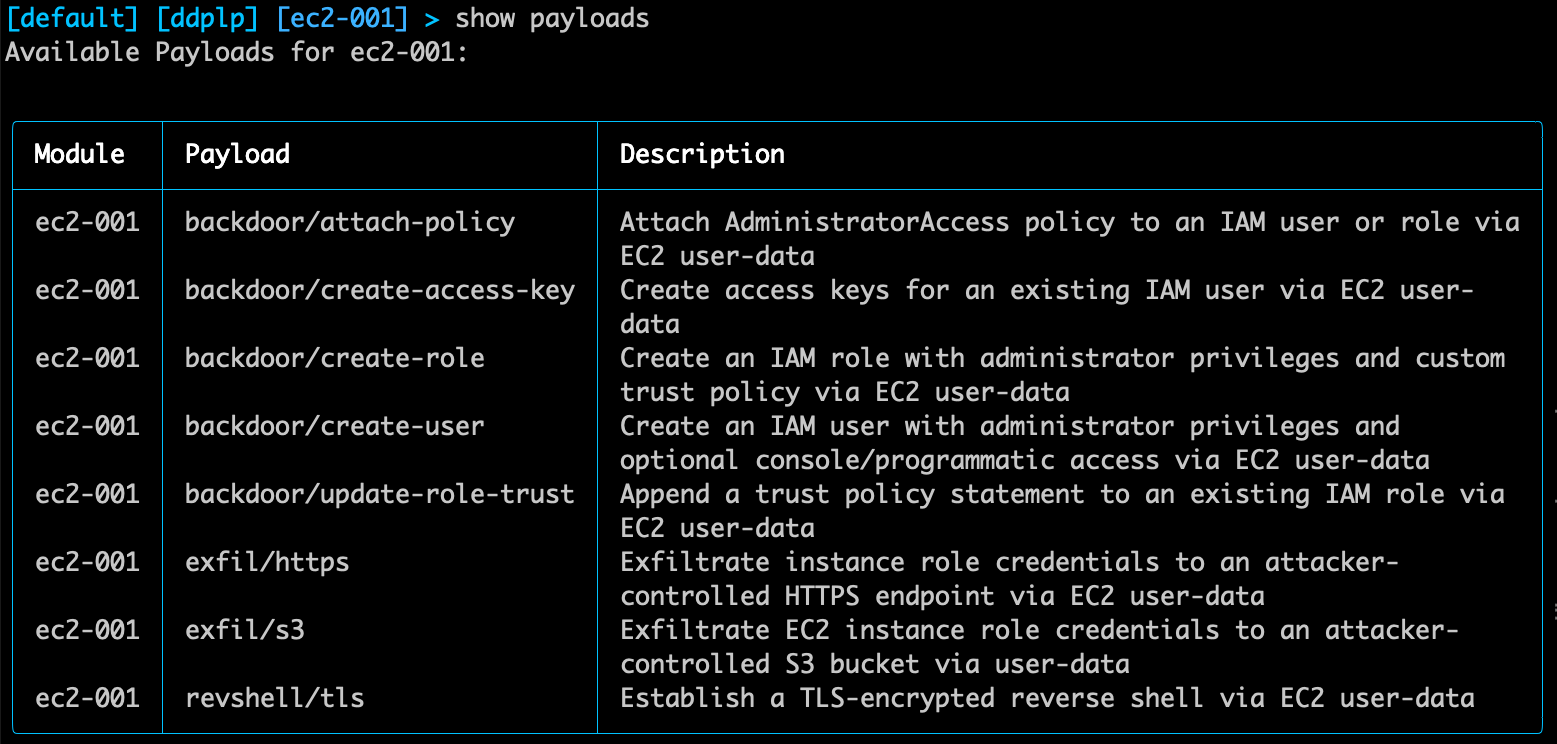
Another key benefit of having multiple payloads in an offensive security tool is that it allows you to build and evaluate more detections. If your detections only support a specific post exploitation action, like creating a new administrative user and granting administrator access to it, you will be blind when an attacker goes in another direction. Instead, if you walk through each and every pathrunner payload in your environment and build detections for each of them, you will have a much greater chance of catching malicious activity.
Use pathrunner to manage your "attacker" infrastructure
In cloud compromises, it is a common practice for attackers to stage their payload or exploit artifacts on external sources or to exfiltrate data or credentials to those external sources. They often use additional compromised cloud accounts to host their infrastructure.
Offensive security practitioners often use additional cloud accounts that they own to replicate this pattern. Done manually, this can be a tedious task. In pathrunner, we built this functionality in! We included support for adding an "attacker" identity and the ability to deploy "attacker" infrastructure in an AWS account that you control, separate from any "victim" AWS accounts.
In practice, if you configure your attacker identity with pathrunner attacker identity add and then type attacker infra ec2 create, pathrunner will create an EC2 instance in your own "attacker" account, deploy a second instance of pathrunner on that instance, put the right security groups in place, and show you how to connect to it via SSH or SSM.
Once you connect, you can then start a remote listener on the publicly accessible EC2 instance by using attacker listener start and start collecting credentials. In other words, with pathrunner, you can set up a remote endpoint to catch credentials with just three commands.
Here's the end-to-end flow showing how it all works. In the video, pay attention to the iTerm2 tabs at the top. I'll switch between MY MAC and ATTACKER AWS when showing how I can run an exploit from MY MAC, but catch the credentials on the "attacker" infra instance of pathrunner.
Alternatively, if you initially run pathrunner on a remotely accessible host that already has some public callback ports open, you can skip all of the remote deployment steps and just start the listener with attacker listener start. That's it!
Be a team player: Give your blue team an audit log
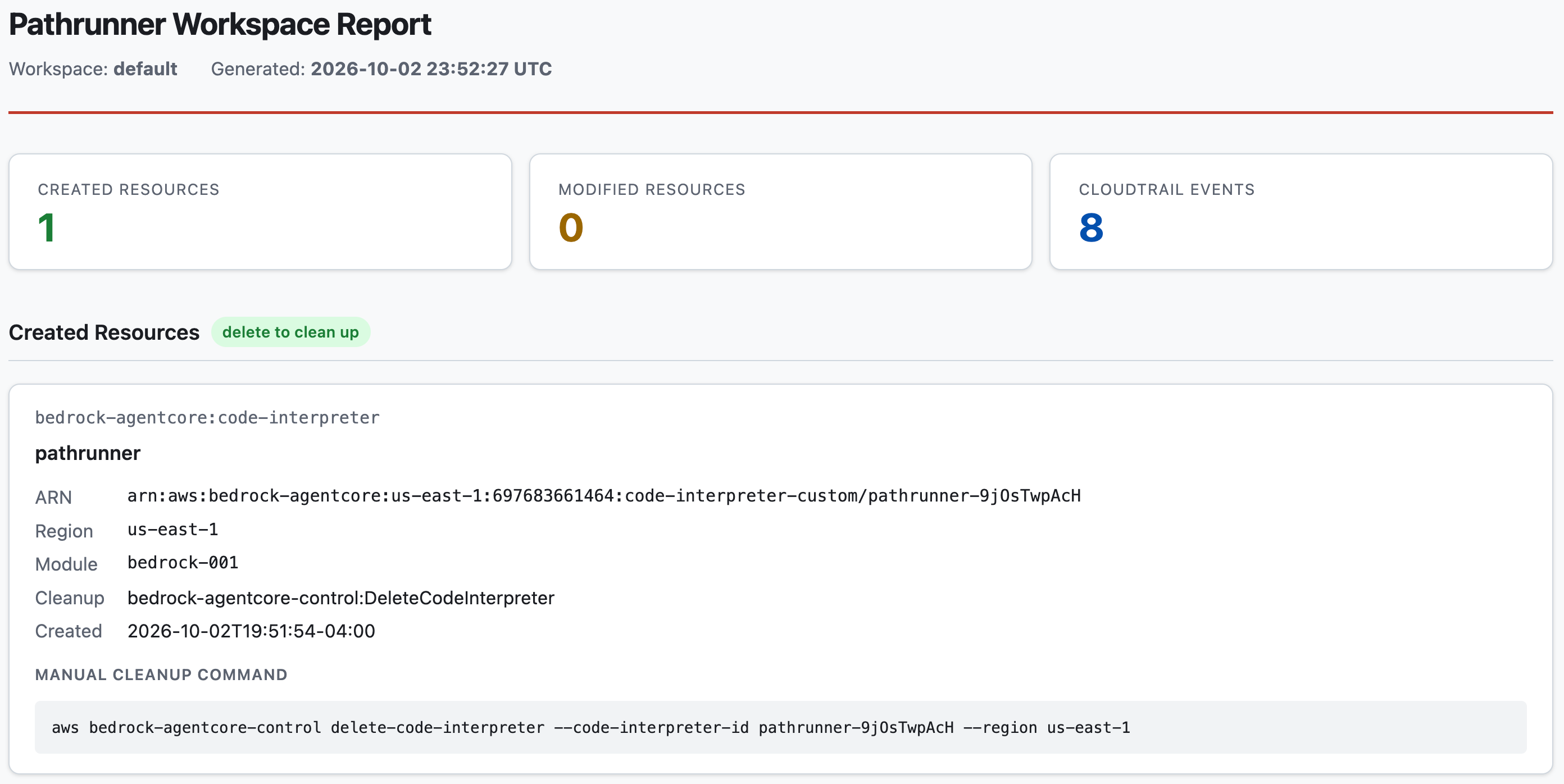
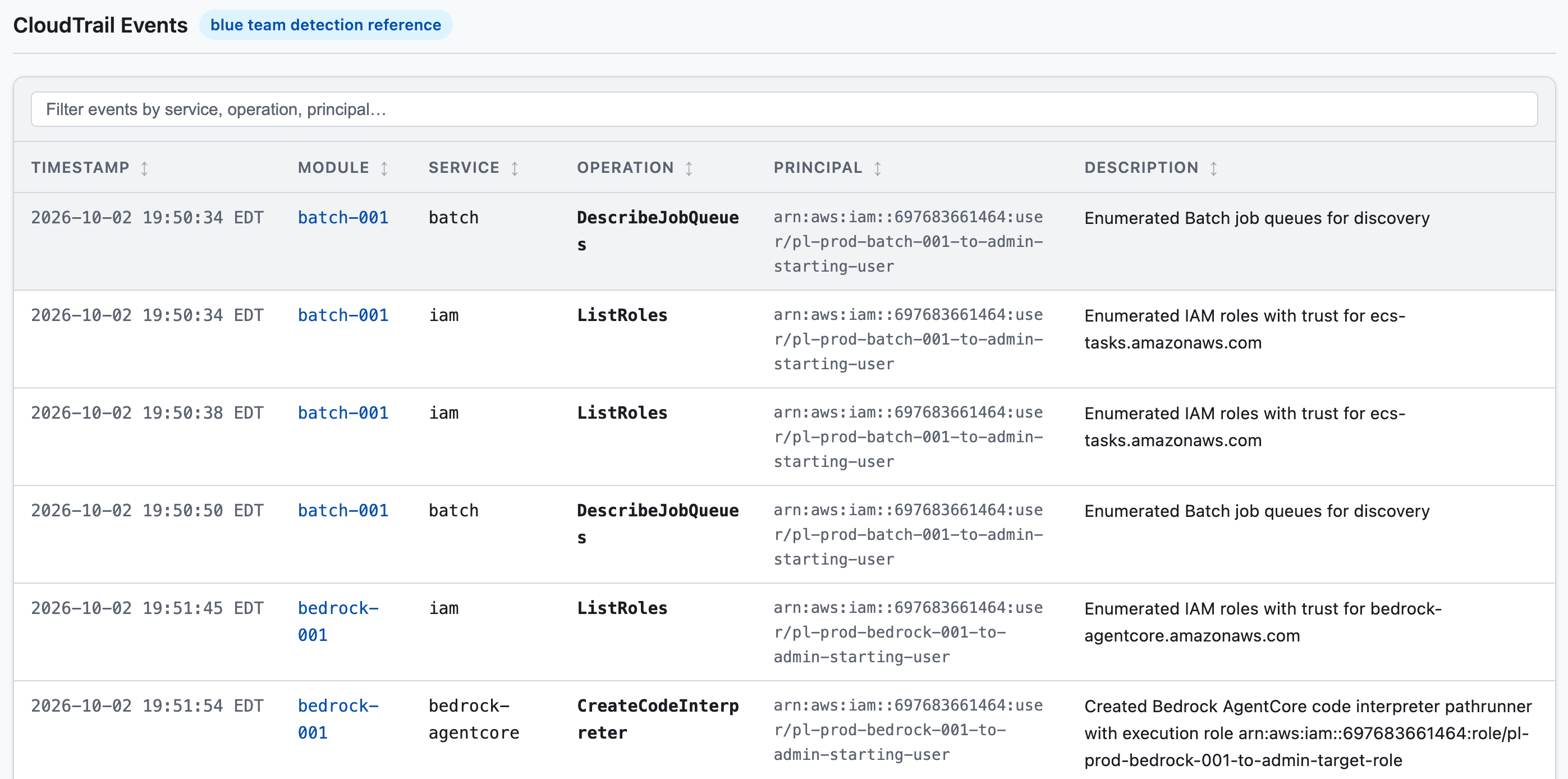
As mentioned earlier, it is quite impactful to show a defender exactly how you were able to exploit a misconfiguration in their environment. It's even more helpful to show exactly what audit log events your activity generated, along with timestamps for when those events occurred. We have good news! Pathrunner has this functionality built in as well. If you type workspace report --output pathrunner.html, you will get a report that is ready to hand over to the defenders.
There are two main parts to this report. First, it shows you the resources that were created or modified during your use of pathrunner. You can manually clean these up when you are done, or you can use the workspace cleanup all sub-command.
Second, the report includes a table that lists all of the CloudTrail events that we think pathrunner would have triggered, along with timestamps and descriptions.
What's Next?
We hope that pathrunner helps you improve your cloud detection capabilities, as well as the overall security posture of your environment. Please head over to the pathrunner repo if you would like to suggest features, let us know about bugs, or contribute to the project, and don't forget about the complete command reference guide at https://pathfinding.cloud/pathrunner/.